
Integration · Meater
Connect your Meater. Forget about us.
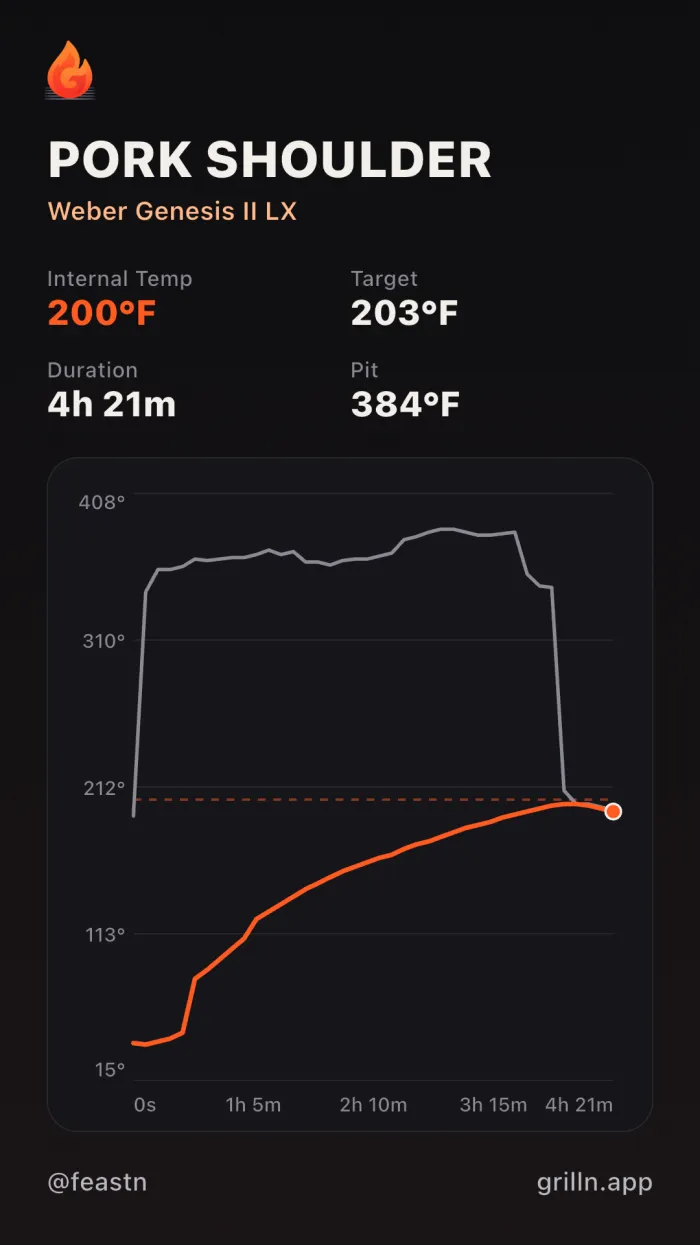
Grilln captures every cook automatically — curve, temps, meat type, timing — using your Meater account. Nothing to start. Nothing to stop. Just cook.
How it works
Three steps. Two you were doing anyway.
01
Connect Meater once.
Settings → Connect a device → sign in with your Meater account. Takes 10 seconds.
02
Cook like you always do.
Start the cook in your Meater app. Don't change anything. Don't think about us.
03
Open Grilln when you're done.
Your cook is already there — curve, target, peak, the whole thing. Add a photo, write a caption, post.
FAQ
The questions worth asking.
- Is my Meater password safe?
- Yes. Your password is encrypted before we store it — the same kind of encryption every major email and password manager uses. The plaintext only exists in memory during the actual sign-in: never written to disk, never readable by us, never sent anywhere except Meater. We use it for one thing — refreshing your Meater session when it expires (about once a month) so you don't have to.
- Do I need to have Grilln open while I'm cooking?
- No. Grilln does the polling on our servers, not your phone. You can have Grilln closed, deleted, or signed out — your cooks still get captured.
- Do I need the Meater app running?
- The Meater app needs to be on your phone — open or in the background, just not swipe-killed — while you cook. The Meater app is what relays your probe's data to Meater's cloud. You'd be running it during a cook anyway.
- What if I change my Meater password later?
- You'll see a banner in Grilln next time you open it: “Your Meater connection needs to be refreshed.” Tap it, enter your new password, done. Takes 10 seconds.
- Can I disconnect?
- Anytime. Settings → Connect a device → Meater → Disconnect. We wipe the encrypted password and stop polling. Your captured cooks stay yours.
- How often does Grilln check for cooks?
- Once a minute. The Meater app pushes probe data to Meater's cloud every few seconds; we read from that cloud every minute. Smooth enough for steaks, plenty for low-and-slow brisket cooks.
- Does it know what kind of meat I'm cooking?
- Whatever you picked in the Meater app — beef, pork, chicken, etc. — comes through. So does your target temp, your peak internal temp, and Meater's cook state (Configured, Started, Resting, Finished). All of it lands on your Grilln post.
- Does it work outside the US?
- Yes. Meater's cloud is global. International cooks are treated the same as US ones.
- Which other thermometers work with Grilln?
- Meater right now. ThermoWorks RFX, Combustion, FireBoard, Inkbird, Chef IQ, ThermoPro, and Govee are on the roadmap — tap any of them in the Connect a device screen to put your name in. The brand with the most names goes next.
Log every cook automatically.
Free to download. Connect Meater in 10 seconds.
Already have Grilln? Open Settings → Connect a device.